Langfuse is an open-source LLM observability platform that helps you monitor, debug, and analyze your LLM applications. When combined with Portkey, you get the best of both worlds: Langfuse’s detailed observability and Portkey’s advanced AI gateway features.
This integration allows you to:
Track all LLM requests in Langfuse while routing through Portkey
Use Portkey’s 250+ LLM providers with Langfuse observability
Implement advanced features like caching, fallbacks, and load balancing
Maintain detailed traces and analytics in both platforms
Quick Start Integration Since Portkey provides an OpenAI-compatible API, integrating with Langfuse is straightforward using Langfuse’s OpenAI wrapper.
Installation pip install portkey-ai langfuse openai
Basic Setup import os from portkey_ai import createHeaders, PORTKEY_GATEWAY_URL # Set your Langfuse credentials os.environ[ "LANGFUSE_PUBLIC_KEY" ] = "YOUR_LANGFUSE_PUBLIC_KEY" os.environ[ "LANGFUSE_SECRET_KEY" ] = "YOUR_LANGFUSE_SECRET_KEY" # Import OpenAI from langfuse from langfuse.openai import OpenAI # Initialize the client client = OpenAI( api_key = "YOUR_OPENAI_API_KEY" , # Your LLM provider API key base_url = PORTKEY_GATEWAY_URL , default_headers = createHeaders( api_key = "YOUR_PORTKEY_API_KEY" , provider = "@YOUR_PROVIDER" , # config="YOUR_CONFIG_ID", # Optional: Use saved configs # trace_id="YOUR_TRACE_ID", # Optional: Custom trace ID ) ) # Make a request response = client.chat.completions.create( model = "gpt-4o-mini" , messages = [{ "role" : "user" , "content" : "Hello, world!" }], ) print (response.choices[ 0 ].message.content)
This integration automatically logs requests to both Langfuse and Portkey, giving you observability data in both platforms.
Using Portkey Features with Langfuse 1. LLM Integrations LLM Integrations in Portkey allow you to securely manage API keys and set usage limits. Use them with Langfuse for better security:
from langfuse.openai import OpenAI from portkey_ai import createHeaders, PORTKEY_GATEWAY_URL client = OpenAI( api_key = "PORTKEY_API_KEY" , base_url = PORTKEY_GATEWAY_URL ) response = client.chat.completions.create( model = "@openai/gpt-4o" , messages = [{ "role" : "user" , "content" : "Explain quantum computing" }] )
2. Multiple Providers Switch between 250+ LLM providers while maintaining Langfuse observability:
OpenAI
Anthropic
Azure OpenAI
client = OpenAI( api_key = "YOUR_OPENAI_KEY" , base_url = PORTKEY_GATEWAY_URL )
client = OpenAI( api_key = "PORTKEY_API_KEY" , base_url = PORTKEY_GATEWAY_URL )
client = OpenAI( api_key = "PORTKEY_API_KEY" , base_url = PORTKEY_GATEWAY_URL )
3. Advanced Routing with Configs Use Portkey’s config system for advanced features while tracking in Langfuse:
# Create a config in Portkey dashboard first, then reference it client = OpenAI( api_key = "PORTKEY_API_KEY" , base_url = PORTKEY_GATEWAY_URL )
Example config for fallback between providers:
{ "strategy" : { "mode" : "fallback" }, "targets" : [ { "provider" : "@openai-key" , "override_params" : { "model" : "gpt-4o" } }, { "provider" : "@anthropic-key" , "override_params" : { "model" : "claude-3-opus-20240229" } } ] }
4. Caching for Cost Optimization Enable caching to reduce costs while maintaining full observability:
config = { "cache" : { "mode" : "semantic" , "max_age" : 3600 }, "provider" : "@YOUR_PROVIDER" } client = OpenAI( api_key = "PORTKEY_API_KEY" , base_url = PORTKEY_GATEWAY_URL , default_headers = createHeaders( config = config ) )
Add custom metadata visible in both Langfuse and Portkey:
client = OpenAI( api_key = "PORTKEY_API_KEY" , base_url = PORTKEY_GATEWAY_URL , default_headers = createHeaders( metadata = { "user_id" : "user_123" , "session_id" : "session_456" , "environment" : "production" }, trace_id = "langfuse-trace-001" ) )
Fallbacks Automatically switch to backup targets if the primary target fails.
Conditional Routing Route requests to different targets based on specified conditions.
Load Balancing Distribute requests across multiple targets based on defined weights.
Caching Enable caching of responses to improve performance and reduce costs.
Smart Retries Automatic retry handling with exponential backoff for failed requests
Budget Limits Set and manage budget limits across teams and departments. Control costs with granular budget limits and usage tracking.
Observability Features With this integration, you get:
In Langfuse:
request/response logging
Latency tracking
Token usage analytics
Cost calculation
Trace visualization
In Portkey:
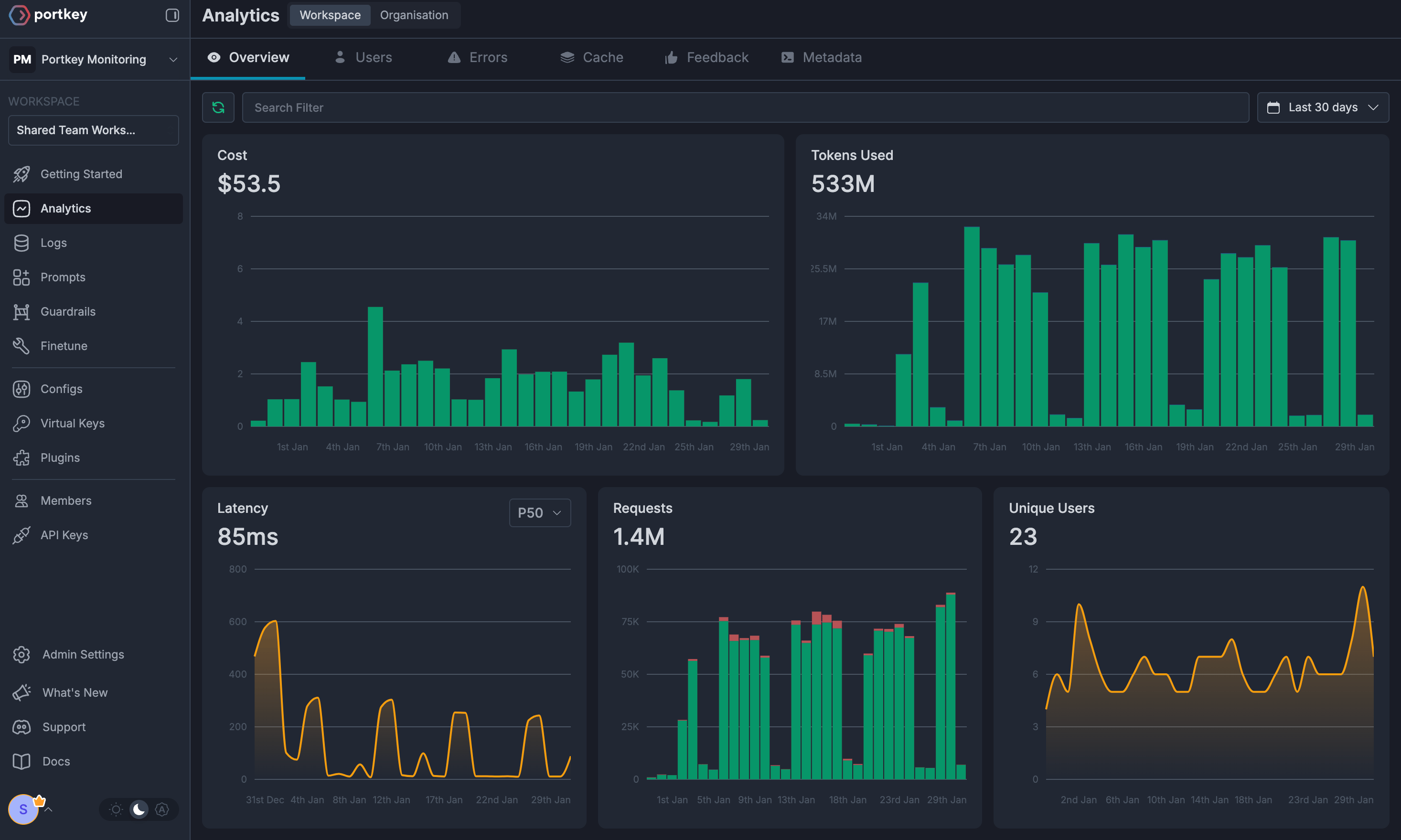
Request logs with provider details
Advanced analytics across providers
Cost tracking and budgets
Performance metrics
Custom dashboards
Token usage analytics
Migration Guide If you’re already using Langfuse with OpenAI, migrating to use Portkey is simple:
from langfuse.openai import OpenAI client = OpenAI( api_key = "YOUR_OPENAI_KEY" )
from langfuse.openai import OpenAI from portkey_ai import createHeaders, PORTKEY_GATEWAY_URL client = OpenAI( api_key = "YOUR_OPENAI_KEY" , base_url = PORTKEY_GATEWAY_URL , default_headers = createHeaders( api_key = "YOUR_PORTKEY_API_KEY" , provider = "openai" ) )
Next Steps Resources